WOW Car Wash
WOW CarwashAuto & Vehicles
4.862.00 Reviews
- Version
- 11.1.2715
- Installs
- 10.00K
- Age Rating
- Everyone
Screenshots
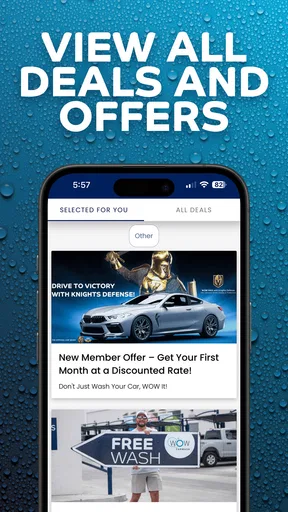
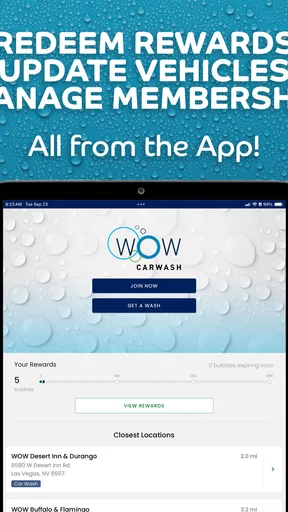
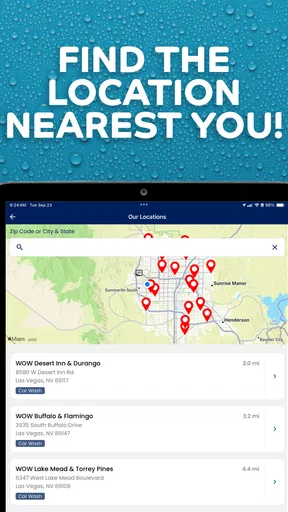
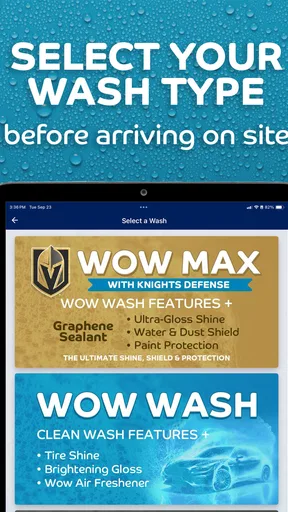
Our Review of WOW Car Wash
 Analysis by Appyee
Car care apps sound simple until you are sitting in a queue, trying to remember which account you used, or wondering whether a failed action came from the app, your phone, or the wash location itself. I approached WOW Car Wash as a practical companion for visits rather than as something to browse for long periods. That distinction matters: its value depends on making a real-world car-wash stop easier, not on offering a deep digital experience by itself.
Developed by WOW Carwash, this free Auto & Vehicles app is aimed at people who want car care close at hand. It is rated for Everyone, so it is broadly accessible for household use. The current version is 11.1.2715, and the app has attracted over ten thousand installs, with a strong 4.8 average from roughly 480 ratings and 62 written reviews. Those figures suggest that many users find the basic experience dependable, although a rating alone cannot tell you how smoothly it will behave on your particular phone or at a particular location.
Where the real friction usually begins
The first thing I would tell a friend is not to open the app for the first time while already waiting at a wash. That is when small problems feel much bigger. A slow mobile connection, an outdated app session, a forgotten sign-in detail, or an unexpected request to verify something can turn a routine stop into a frustrating one. Setting it up at home gives you time to read each screen and notice whether the account information you entered is correct.
Another common sticking point is assuming that the application controls every part of the physical visit. It does not make a car clean by itself, and a screen that appears ready does not remove the need to follow instructions at the location. I found it more helpful to treat the app as the digital part of the process: it can help organize your interaction with the service, while the site, equipment, signage, and staff still determine what happens around the vehicle.
That separation is especially useful when something seems wrong. If the app opens but the visit does not progress, the problem may be at the location rather than in the software. Conversely, if the app cannot load a screen at all, repeatedly tapping the same control is unlikely to help. Closing it, reopening it, and checking the phone connection is a more sensible first response than immediately assuming the account or car-wash service has failed.
The most useful mindset is to separate account problems, phone problems, and location problems before trying to fix anything. This sounds obvious, but it prevents a lot of wasted time. A person who cannot sign in should not begin by troubleshooting the wash equipment, while someone facing a physical queue issue should not keep reinstalling the app.
What I check before relying on it
I start with the basics: the phone has a stable connection, the application is installed from the official app source, and the operating system meets its stated requirement of Android 8.0 or newer. That last point is easy to overlook when using an older spare phone in the car. An app can be free and well rated yet still feel unreliable if the device is struggling with storage, background restrictions, or an aging system.
I also check that the phone has enough practical battery for the whole visit. This is not a special requirement of WOW Car Wash; it is simply good preparation for any service app used away from home. If the battery is nearly empty, a screen that needs to be displayed at the right moment becomes an unnecessary risk. I prefer to prepare the account and any relevant information before leaving, then keep the phone accessible without handling it while driving.
After installation, I take a slow look through the available screens rather than pressing through them quickly. I confirm that the account details are spelled correctly and that I understand what each visible action is meant to do. If the app presents a choice connected with a visit, I read it carefully instead of assuming that the first button is the one I need. This small habit is more valuable than repeatedly correcting a selection later.
It is also worth checking whether the app behaves normally on the device before you arrive. Open it once on a reliable connection, move between its main areas, and close and reopen it. I am not trying to perform an elaborate technical test; I am simply looking for obvious loading loops, blank screens, or a session that disappears immediately. Finding that at home gives you the option to update the app, restart the phone, or choose another way to handle the visit.
A calmer workflow for an ordinary visit
My preferred routine is to prepare before starting the engine. I open the app while parked, make sure the correct account is active, and review the information I expect to use. At the location, I follow the physical signs first and use the phone only when it is safe and necessary. This avoids the awkward situation of trying to read a small screen in a moving queue or while other drivers are waiting behind me.
A realistic example would be a weekend errand when I want to wash the car before shopping. I would check the app at home, confirm that it opens normally, and keep the phone charged. Once at the site, I would avoid making changes while moving through the queue. If the digital step worked but the next physical instruction was unclear, I would look for the location’s signage or ask staff rather than repeatedly tapping the app. That workflow keeps the software in its proper role: useful support, not the only source of information.
One practical tip is to avoid switching between several accounts or devices during the same visit unless there is a clear reason. Every extra change creates another opportunity to display the wrong account or lose track of what has already been completed. I would use one prepared phone from start to finish, especially when the visit involves a screen that needs to be shown or checked quickly.
A second tip is to capture the details you may need before arriving, but not to rely on screenshots as a substitute for the live app when the service requires current information. A screenshot can help you remember an account detail or explain what you saw to support, yet it may not reflect a later change. I use saved notes for preparation and the live application for the actual step.
A third tip is to pause after each successful action. Instead of tapping again because the screen has not changed instantly, I give it a moment, particularly on a weak connection. Repeated taps can make it harder to tell whether the first action worked. If the screen remains unchanged, I close the app once and reopen it rather than building a long chain of uncertain actions.
Recovering when the workflow breaks
When WOW Car Wash does not behave as expected, I use a short recovery sequence. First, I stop and note exactly what happened: did the app fail to open, did a page remain blank, did the account appear wrong, or did the physical location not recognize the expected step? Describing the failure precisely is more useful than saying only that “the app is broken.”
Next, I check the connection and try the app again. If the phone is using an unstable mobile signal, moving to a safer stationary spot with better reception may help. I then close the application fully and reopen it. This simple reset often clears a temporary loading problem without changing any account information.
If that does not help, I restart the phone and check whether an update is available through the normal app store. I avoid deleting the application immediately because reinstalling can introduce another sign-in step and may not solve a problem caused by the location or network. Reinstallation is a later option, not my first reaction.
When an account screen looks unfamiliar, I do not create several new accounts in a hurry. I first verify the sign-in details and check whether I may have opened a different account than intended. Multiple accounts can make the situation more confusing, especially if a user expects information from one profile to appear in another.
If the app works at home but fails only at one wash location, that pattern is important. It points toward a local connection, equipment, or site-process issue rather than proving that the application itself is defective. I would record the location, the approximate time, and the exact screen or instruction involved, then ask staff for help. If the app fails everywhere, the phone or account becomes more likely as the source.
There is also a safety boundary I would not cross: I would never troubleshoot while driving or while positioned where other vehicles are moving around me. Pulling into a safe parking area or waiting until the vehicle is stationary is the right choice. A few extra minutes are not worth creating a traffic hazard or handling the phone carelessly.
When the app is not the cause
It is tempting to blame the most visible part of a process, and the app is usually the easiest target. However, a car-wash visit involves several links: your phone, the account, the network, the location’s equipment, and the instructions given on site. A failure in any one of them can look like an application problem.
For example, if a page loads but a physical lane is closed, no amount of refreshing will reopen it. If staff give an instruction that differs from what you expected, the safest response is to follow the current on-site guidance and ask for clarification. The app may be functioning correctly while the real-world situation has changed.
Likewise, an older phone may open the application but handle it poorly because of limited resources. Closing other apps, freeing some storage, and restarting the device are reasonable general steps. I would not assume that a high rating guarantees identical performance on every handset. Reviews describe broad user experience, while your device, connection, and location create the conditions of your own visit.
This is where the app compares with the usual alternatives in the Auto & Vehicles category. A purely in-person approach can be simpler for someone who visits rarely and prefers to ask staff directly. A general web browser may be more convenient for a person who dislikes installing dedicated apps. On the other hand, a dedicated application is better suited to someone who visits regularly and wants the car-care interaction kept in one place rather than rebuilt from memory each time.
I would choose the app over a paper-only routine when I expect repeat visits or want a more consistent digital starting point. I would choose the in-person route when I am at an unfamiliar site, dealing with an unusual vehicle situation, or unable to get the phone and connection working reliably. The better option depends less on loyalty to one format and more on whether the digital step actually reduces effort that day.
Who will get the most from it?
WOW Car Wash makes the most sense for regular customers who want a convenient way to keep car-care tasks accessible from a phone. It is also a reasonable choice for households where more than one person may handle the vehicle, provided everyone understands which account and workflow to use. The free price removes the cost barrier to trying it, while the Everyone rating makes it suitable for a wide range of users.
I would be more cautious about recommending it to someone who washes a car only once in a long while and does not want an account-based digital step. That person may find the traditional approach faster, particularly if the visit is already straightforward. It is also not the right tool for someone expecting the application to diagnose vehicle problems, replace staff guidance, or solve a physical equipment issue.
The app’s strong average rating and growing install base give it a reassuring first impression, but I would still judge it by the workflow rather than by numbers alone. The key question is simple: after setup, does it make your particular visits easier? If yes, the convenience can justify keeping it on the phone. If every visit requires repeated recovery steps, the usual in-person alternative may be less frustrating.
My practical verdict after using it
I see WOW Car Wash as a focused convenience app rather than an all-purpose car-maintenance tool. Its best quality is the way it can put the digital side of a wash visit within reach, especially for someone who uses the service often. The free entry point and broad age rating make experimentation easy, and the current release shows that the app is being maintained as a continuing product rather than treated as a one-time download.
My recommendation comes with one condition: prepare it before you need it. Check the account, test the opening screens, keep the phone charged, and know where to stand safely if something needs attention. Those habits remove most of the avoidable friction and make it easier to identify whether a genuine problem belongs to the app or to the surrounding visit.
For a regular car-wash customer, I would try it and keep it if the first few visits feel more organized. For an occasional visitor who prefers direct human assistance, I would not force the digital route. It is most valuable when it quietly shortens a familiar routine, not when it is asked to replace the entire car-wash experience.
Verdict
Strengths of WOW Car Wash
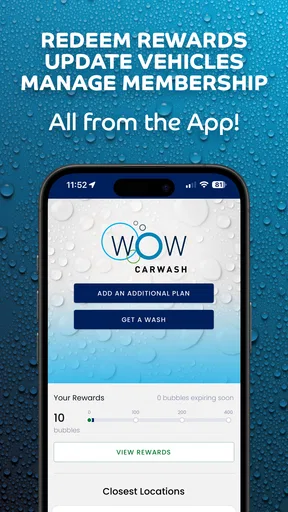
- Book and manage washes directly from your phone.
- Membership options can reduce costs for frequent customers.
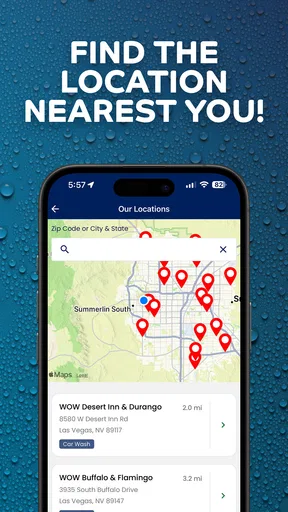
- Locations are easy to find through the app.
- Digital payment makes checkout faster and more convenient.
- Wash history helps track visits and membership activity.
Limitations of WOW Car Wash
- Benefits and prices may vary between participating locations.
- Some features require an active membership or account.
- App usefulness is limited where WOW Car Wash locations are unavailable.
- Promotional offers may include restrictions or expiration dates.
- Occasional updates or connection issues can affect booking and payments.
Similar Picks in This Category
View All
Android Auto
Google LLC4.1

maxim — order a taxi & food
PT. SITO4.7

Штрафы ГИБДД: проверка с фото
Pays LLC – Штрафы ГИБДД4.7

Номерограм – проверка авто
Авто Ассист4.8

Дром Авто
Дром4.9

Frequently Asked Questions
What is WOW Car Wash, and how does the app work?
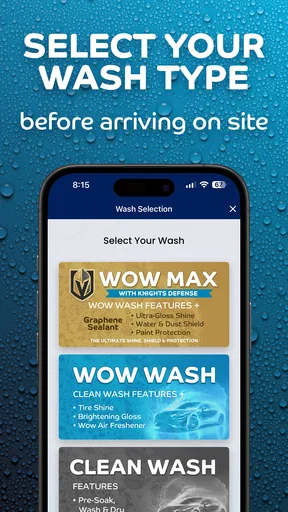
WOW Car Wash is a mobile app designed to help customers manage their car-wash visits, memberships, and available services from a smartphone. Depending on the location, you may be able to purchase or manage an unlimited wash plan, find nearby sites, review wash options, and use a digital account or vehicle identifier at participating locations. Features can vary by market, so checking your local WOW Car Wash center is recommended.
Can I use WOW Car Wash to buy or manage an unlimited membership?
In many locations, the app supports access to WOW Car Wash membership options, including unlimited wash plans. Users may be able to review plan details, connect a vehicle, manage account information, and check membership status without visiting the site. Before subscribing, carefully review the price, billing frequency, cancellation conditions, vehicle limits, and whether the selected plan is valid at every WOW location.
Does WOW Car Wash work at all locations, and can I find a nearby wash?
The app may include location-finding tools that help you search for participating WOW Car Wash sites, view addresses, and check available services. However, not every location necessarily offers the same wash packages, opening hours, membership benefits, or app functionality. It is best to confirm the details of your preferred site in the app or through the official WOW Car Wash website before traveling.
Is WOW Car Wash free to download, and are there additional charges?
Downloading the WOW Car Wash app is generally free, but using certain services may involve payments. For example, customers can be charged for individual washes, membership subscriptions, upgraded packages, or other products offered through participating locations. A free download does not mean that all car-wash services are free, so review the displayed pricing and payment terms carefully before confirming a purchase or recurring plan.
What should I do if the app cannot identify my vehicle or my membership is not working?
If WOW Car Wash does not recognize your vehicle or your membership benefits are unavailable, first check that you are signed in to the correct account and that the vehicle information, license plate, or membership details are accurate. Updating the app and restarting it may also help. If the problem continues, contact the wash location or WOW Car Wash customer support with your account and purchase information for assistance.
